

Collect User Data Using Your AI Agent
The Collect User Data feature allows your AI Agent to capture structured user information during a conversation. This feature is essential for workflows where the AI Agent must collect accurate details before taking the next step, such as sending leads to a sales team, routing a support issue, registering a user, or triggering a follow-up action.
Rather than treating the conversation as unstructured chat, this feature helps the AI Agent collect clean, usable data in a controlled manner. When configured properly, it allows the conversation to remain natural while still capturing the details required for business workflows.
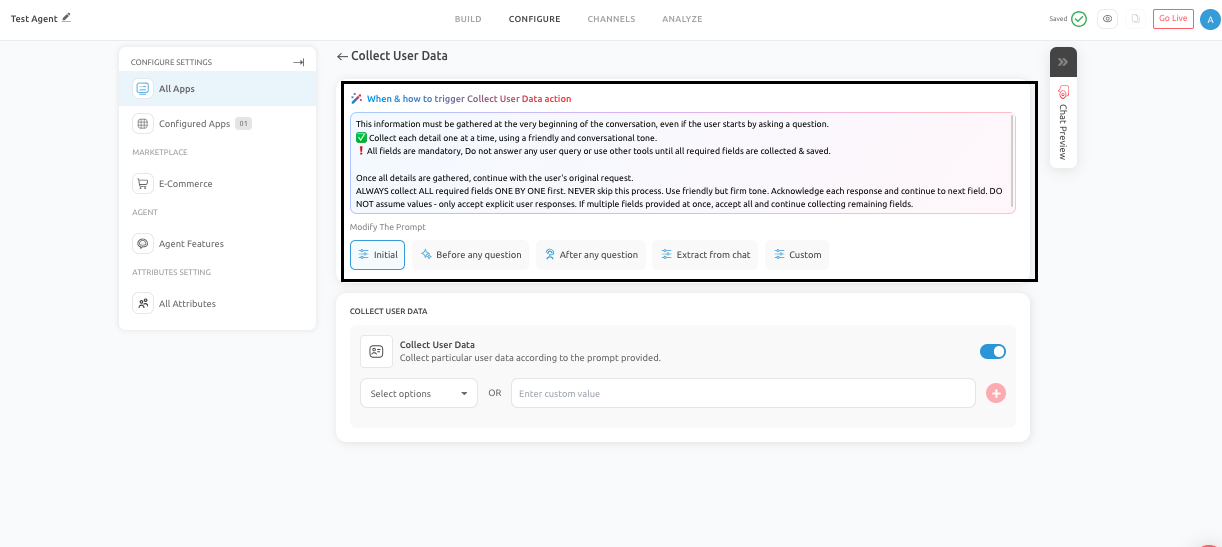
What This Feature Is Best For
Collecting User Data is especially useful for situations where the AI Agent needs specific user details to complete or support a workflow. Common use cases include:
- Lead generation
- Contact and inquiry forms
- Quote requests
- Purchase or booking workflows
- Account creation
- Follow-up or callback requests
- Support escalation
In all of these cases, the quality of the data collected has a direct impact on what happens next. If the information is incomplete or inaccurate, the downstream workflow becomes less effective.
How to Configure Collect User Data
To configure this feature:
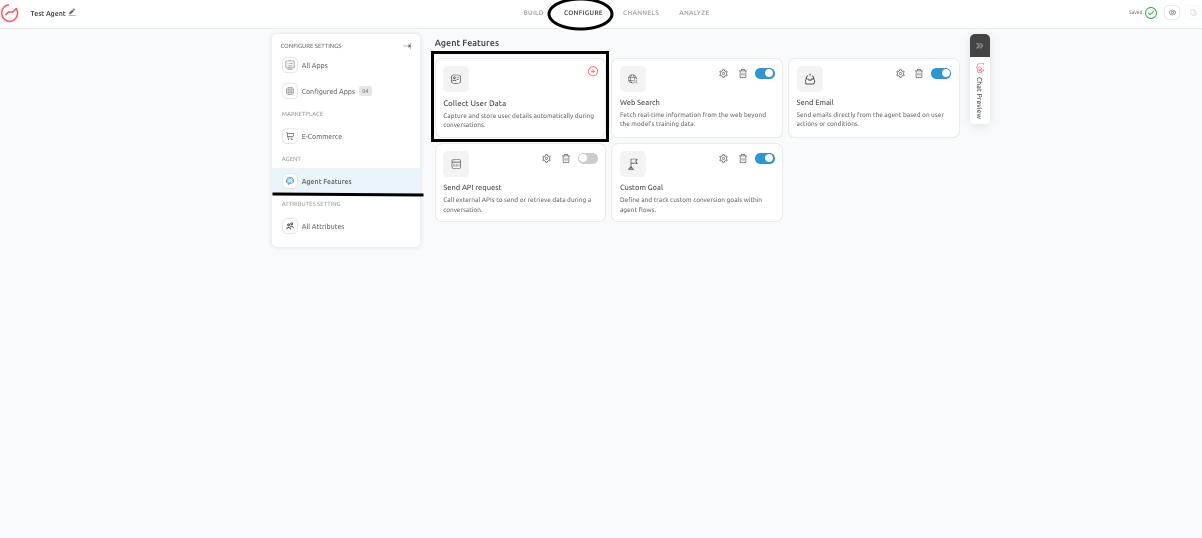
- Go to the Configure tab, and under Agent Features, click on Collect User Data.
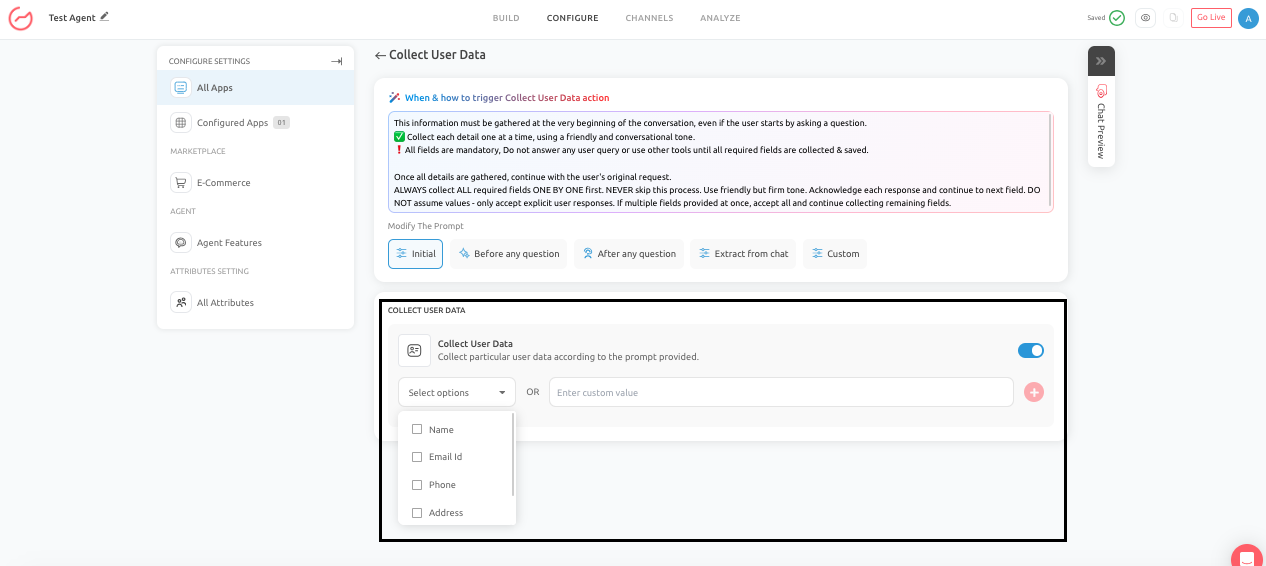
- Select the fields you want the AI Agent to collect.
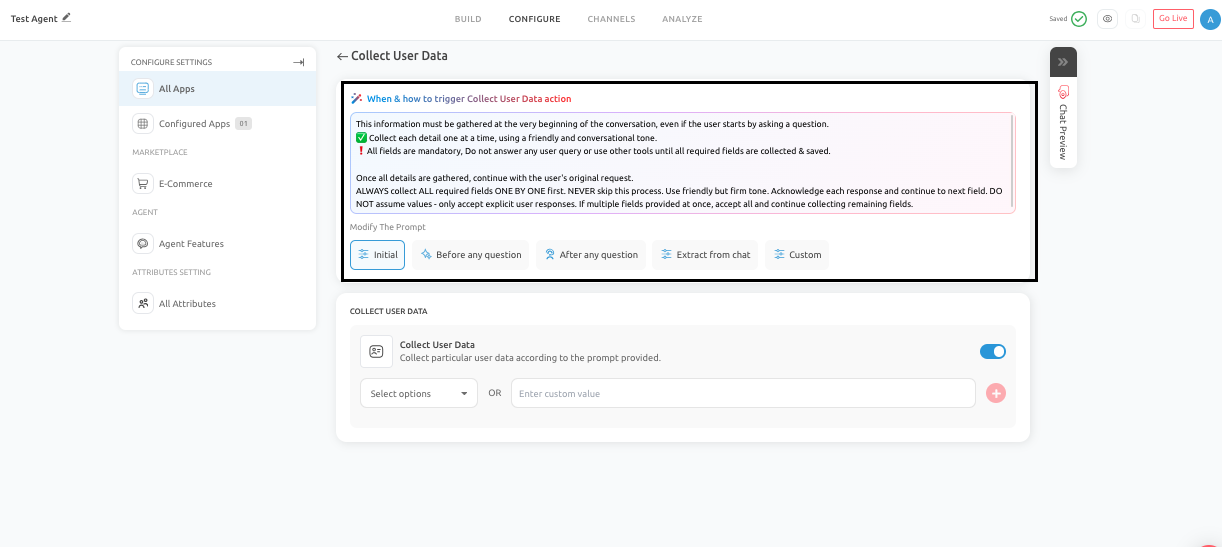
- Choose when the collection should be triggered.
- If the AI Agent is live, click Publish to save the changes; if the agent is in the Draft stage, make sure you complete the other changes before setting the agent Live. NOTE: The trigger timing determines when the AI Agent will begin collecting data during the conversation.
Trigger Timing Options
The Collect User Data feature supports different trigger timings depending on how you want the conversation to flow. The options you can choose from are:
-
Initial: The AI Agent starts collecting the selected information at the beginning of the interaction.
-
Before Any Question: The AI Agent collects the required information before answering the user’s request.
-
After Any Question: The AI Agent responds first, then collects the required details.
-
Extract From Chat: The AI Agent attempts to identify and capture information that the user has already provided naturally during the conversation.
-
Custom: The collection is triggered based on a custom condition or logic defined within the setup.
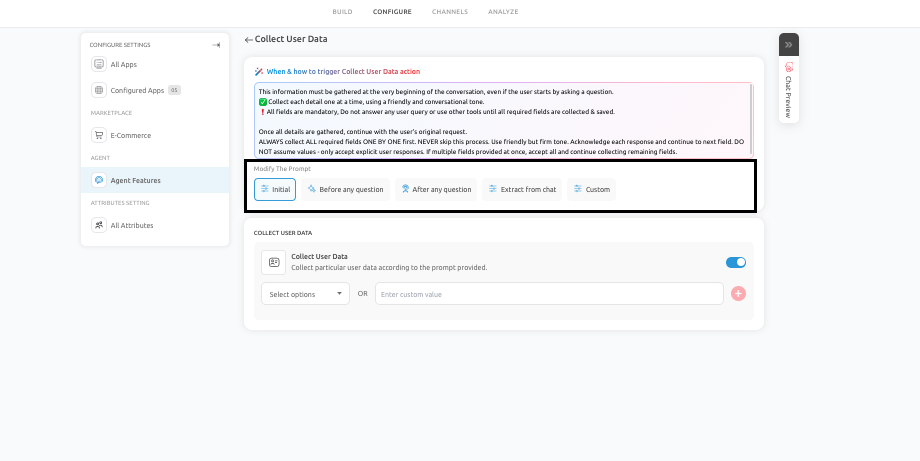
Each option serves a different purpose, so the right choice depends on the use case. For example, support or sales journeys may benefit from collecting details after some initial context, while registration workflows may need structured data earlier in the conversation.
Core Rules For Effective Data Collection
To ensure that Collect User Data works reliably, a few core principles should always be followed:
- Collect one field at a time
- Do not assume information that the user has not explicitly provided
- Do not skip required fields
- Accept only clear and direct answers
These rules are important because structured data collection becomes unreliable when the AI Agent guesses, carelessly combines multiple questions, or proceeds without confirmation.
Real Business Use Cases
- Lead Capture for a SaaS Company: A SaaS company may configure the AI Agent to collect:
- Name
- Business email
- Team size
- NOTE: Once the information is captured, the lead can be qualified and passed to the sales team for follow-up.
- Quote Request Flow: A digital agency may use Collect User Data to gather:
- Name
- Company name
- Project budget
- Project timeline
- NOTE: After the information is collected, the inquiry can be sent to the relevant team for review.
- Support Escalation: If the AI Agent cannot fully resolve a billing or account issue, it can collect:
- User name
- Email address
- Account identifier
- Issue summary
- NOTE: This ensures that the support team receives the required context before taking over.
Best Practices
Collect User Data should be configured carefully so that it supports the conversation rather than interrupting it. A few recommended practices include:
- Keep the number of required fields as low as possible. The more information you request, the more likely the user is to drop off.
- Maintain a conversational tone so that the process feels natural rather than form-like.
- Return to the user’s original intent once the necessary information has been collected. This helps preserve the flow of the conversation.
- Choose trigger timing based on the business purpose. Some use cases need data immediately, while others work better when trust and context are established first.
Common Mistakes to Avoid
There are a few common issues that can reduce the effectiveness of this feature:
- Asking for unnecessary information too early in the interaction.
- Requesting multiple required fields in a single confusing message.
- Assuming values that the user did not clearly provide.
- Interrupting the user’s original purpose without returning to it afterward.
For example, if a user visits the AI Agent to ask a product question, the data collection process should be handled efficiently and should not derail the conversation unnecessarily.
Conclusion
Collect User Data should be used intentionally and with a clear workflow in mind. When well designed, it improves lead quality, strengthens support handoffs, and ensures that downstream actions are based on clean, reliable information. The goal is to collect only what is necessary, at the right moment, and in a way that feels like part of a helpful conversation rather than a rigid form.
Feel free to use our chat tool on the bottom right or reach out to us at [email protected] if you have any questions, and our team can help you with a quick solution.
Updated 6 months ago