

Using Web Search For Real Time And Time Sensitive Responses
The Web Search feature allows your AI Agent to fetch up-to-date information from the internet when its internal knowledge sources are not sufficient to answer a query accurately. This is especially useful when the requested information is time-sensitive, frequently changing, or dependent on recent public updates.
Rather than relying solely on training data, Web Search enables the AI Agent to supplement its responses with up-to-date information when needed. This helps improve relevance in situations where static knowledge may no longer be enough.
What This Feature Is Best For
Web Search is most useful in scenarios where the user’s question depends on current or changing information. Common examples include:
- Current events
- Recent statistics
- Fresh public information
- Live updates
- Time sensitive questions where internal content is outdated or incomplete
This makes the feature particularly valuable when users ask about information that is likely to change over time.
How To Enable Web Search
- To enable this feature, open your AI Agent and go to the Configure Tab.
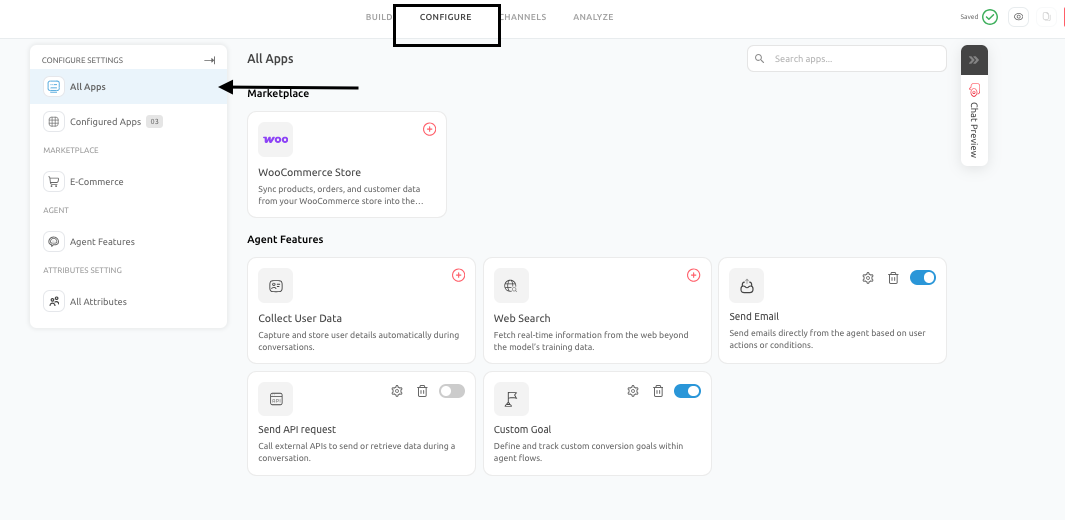
- From there, navigate to Configure Settings and select Web Search.
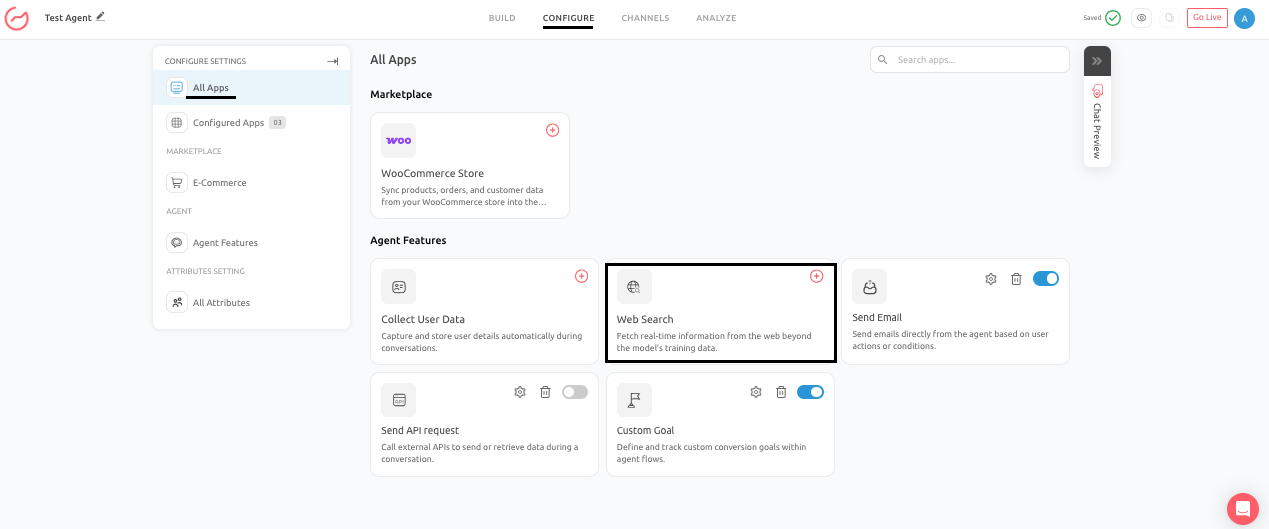
- Once inside the section, turn on the Search Web and in the prompt field, add the instructions about when and how to trigger the search.
- Once enabled, the AI Agent can use web based information when the conversation requires more up to date context than its trained sources can provide.
Real Business Use Cases
- News-Aware Assistant: A company may want its AI Agent to answer broad market or industry questions using current public information rather than relying solely on internal content that may no longer reflect the latest developments.
- Public Statistics and Market Data: A consulting or research focused AI Agent may need to answer questions using up to date statistics, trends, or publicly available market data that evolve over time.
- Recent Product or Industry Updates: A user may ask about a recent release, event, or announcement that has not yet been added to the AI Agent’s internal knowledge base. In this case, Web Search helps the AI Agent provide a more timely and relevant answer.
Best Practices To Follow
- Web Search should be used selectively and only when current external information is genuinely needed. It is most effective as a supporting layer for freshness, rather than as the primary source of truth for every response.
- When using this feature, keep the response focused on the user’s actual question. The goal is to bring in relevant current information, not to overwhelm the user with unnecessary detail.
- It is also important to continue relying on your trained data sources for stable business information such as product details, internal policies, support procedures, and approved messaging.
Common Mistakes To Avoid
There are several common mistakes that can reduce the effectiveness of Web Search:
- Using it for stable business information that should come from your curated knowledge base
- Relying on it as a substitute for maintaining proper documentation
- Allowing responses to become too long or unfocused simply because more public information is available
- Treating web results as more important than your own verified business content when internal knowledge is already sufficient
Pro Tip
The feature should improve relevance, not replace a well maintained internal knowledge system.
Conclusion
- The Web Search feature extends the AI Agent’s capabilities by allowing it to access up-to-date public information when trained sources alone are insufficient.
- This makes it especially useful for time-sensitive queries, changing statistics, and recent developments.
- When enabled and used carefully, Web Search can significantly improve the relevance of responses without compromising the importance of your core knowledge sources.
Feel free to use our chat tool on the bottom right or reach out to us at [email protected] if you have any questions, and our team can help you with a quick solution.
Updated 6 months ago