

Improve Agent: Optimizing your AI Agent Continously
The Improve Agent section is where you continuously refine and optimize your AI Agent after it has gone live. While initial setup defines the foundation, real user interactions reveal how the AI Agent performs in practice. This section enables you to analyze conversation patterns, identify gaps, and make targeted improvements based on actual usage.
Rather than treating the AI Agent as a static system, Improve Agent allows you to evolve it over time, ensuring that it becomes more accurate, more relevant, and better aligned with your business goals. The Improve Agent section includes the following components:
- Answered Questions
- Unanswered Questions
- Favorites
- Archived Questions
Each of these areas serves a different purpose in the optimization process and should be used together as part of an ongoing improvement workflow.
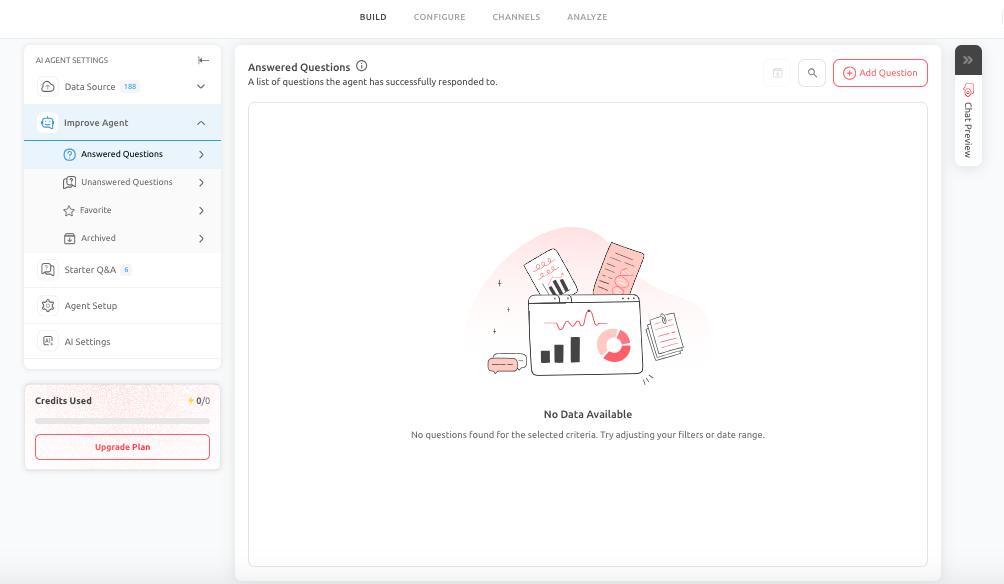
Answered Questions
The Answered Questions view helps you understand what users are asking and where the AI Agent is already performing effectively. Successful responses provide valuable insight into:
- The most common user queries
- How users phrase their questions
- Which topics are most important in the user journey
This information can guide not only AI Agent improvements but also broader business decisions, such as content updates or product positioning.
How to Use It
When reviewing Answered Questions, focus on:
- Whether the response quality is strong, not just correct
- Whether the answer is clear, concise, and actionable
- Whether the response aligns with your business objective
Even correct answers may need refinement if they are too long, vague, or indirect.
Unanswered Questions
The Unanswered Questions view highlights where the AI Agent was unable to respond effectively or failed to support the user’s request. Unanswered queries represent the most valuable opportunities for improvement. They may indicate:
- Missing or insufficient data sources
- Weak or unclear prompt configuration
- Limitations in the selected AI model
- New user intent that was not considered during setup
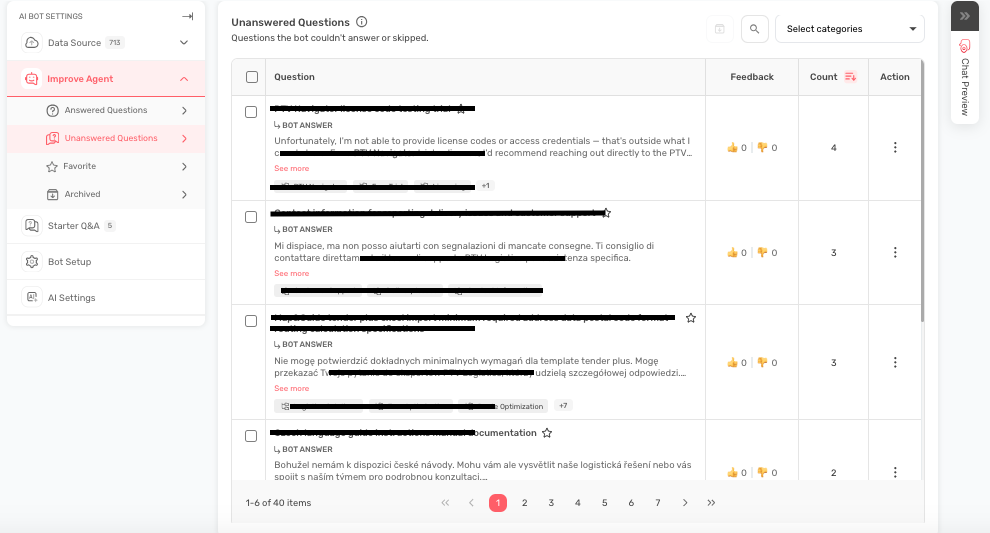
How to Use It
Prioritize unresolved questions based on their business impact, especially those related to:
- Revenue or conversions
- Customer trust
- Support workload
- User frustration
These issues can be addressed by refining prompts, adding manual Q&A, expanding knowledge sources, or improving fallback behavior.
Add Q&A Under Answered & Archived Questions
Add Q&A allows you to define specific questions and provide controlled, pre-approved responses manually. This feature is most useful when accuracy and consistency are critical, such as:
- Pricing explanations
- Refund policies
- Legal or compliance-related content
- Operational instructions
How to Use It Effectively
- Write the question as users would naturally ask it
- Keep the response clear and aligned with your brand tone
- Include guidance for the next step when applicable
Role In Optimization
Add Q&A is an effective way to quickly resolve repeated failures and ensure consistent handling of high-value interactions.
Favorites
Favorites lets you mark important questions and answers so they are preserved and easily accessible in future updates. Over time, AI Agent content evolves. Some responses, however, are too critical to lose or overlook, including:
- Key pricing explanations
- Approved policy wording
- High-performing conversion responses
- Essential support guidance
Best Practices
Use Favorites selectively to highlight content that is:
- Business-critical
- Frequently used
- Sensitive or accuracy-dependent
This ensures that important content remains visible and protected during optimization.
Archived Questions
The Archived Questions store older or outdated content that is no longer active but still useful for reference. As your business evolves, some responses become outdated. Archiving allows you to:
- Remove outdated content from active use
- Maintain a clean and relevant live experience
- Retain historical knowledge for future reference
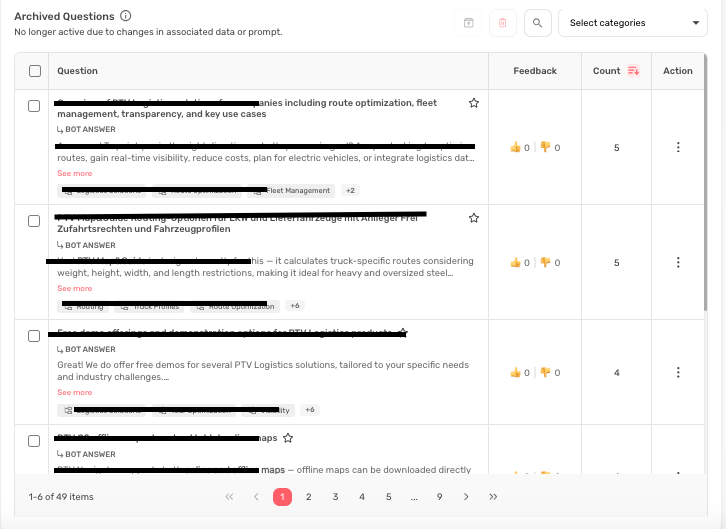
What to Archive
Examples of content suitable for archiving include:
- Retired features or services
- Outdated pricing or offers
- Previous campaigns or messaging
- Obsolete support workflows
Best Practices
- Use archiving as a structured cleanup process rather than a temporary storage area.
- Periodically review archived content to decide whether it should be retained, updated, or permanently removed.
How to Use Improve Agent Effectively
A structured review process will help you get the most value from this section. A recommended approach includes:
- Reviewing Answered and Unanswered Questions regularly
- Addressing high-impact gaps first
- Refining prompts and knowledge sources over time
- Preserving critical responses using Favorites
- Maintaining clarity by archiving outdated content
Pro Tip
- Improve Agent should be treated as an ongoing process rather than a one-time activity.
- Continuous review and refinement will lead to better response quality, improved user satisfaction, and stronger business outcomes.
Conclusion
The Improve Agent section transforms your AI Agent from a static setup into a continuously evolving system. By leveraging insights from real conversations and using tools such as Answered Questions, Unanswered Questions, Add Q&A, Favorites, and Archived Questions, you can systematically enhance performance and ensure that your AI Agent remains effective, accurate, and aligned with your goals.
Feel free to use our chat tool on the bottom right or reach out to us at [email protected] if you have any questions, and our team can help you with a quick solution.
Updated 6 months ago