

Starter Q&A: Guiding Users from the First Message
Starter Q&A lets businesses show suggested questions at the start of the conversation. This reduces friction for first-time users and helps guide them toward high-value conversation paths. It is especially useful for FAQ, onboarding, and lead-generation agents. In your agent, you can configure:
- An introductory Q&A Overview Message
- Suggested Questions
- And Custom Written or AI Generated Answers
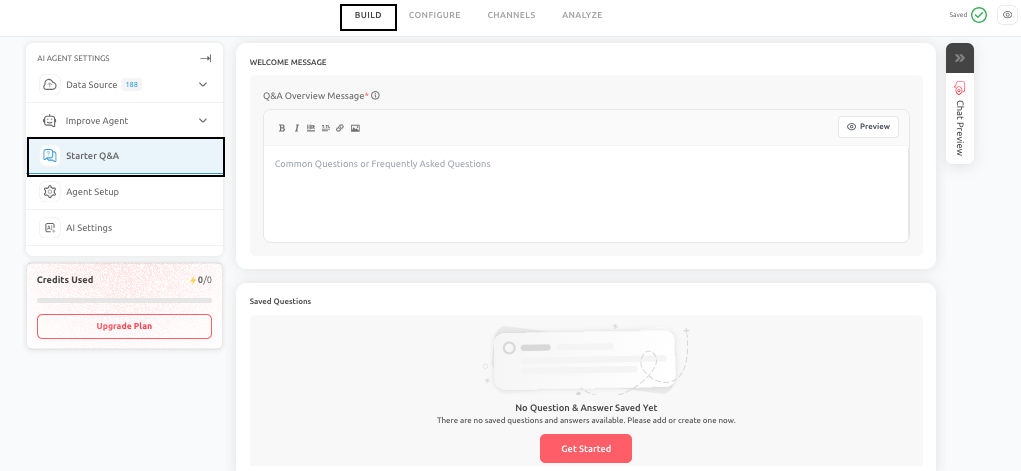
Why Starter Q&A matters
Many users hesitate at the beginning of a conversation, even when they are interested in the experience. Suggested questions reduce that hesitation and show immediately what kind of help is available. In practice, this can improve engagement, reduce bounce, and help users reach useful outcomes faster.
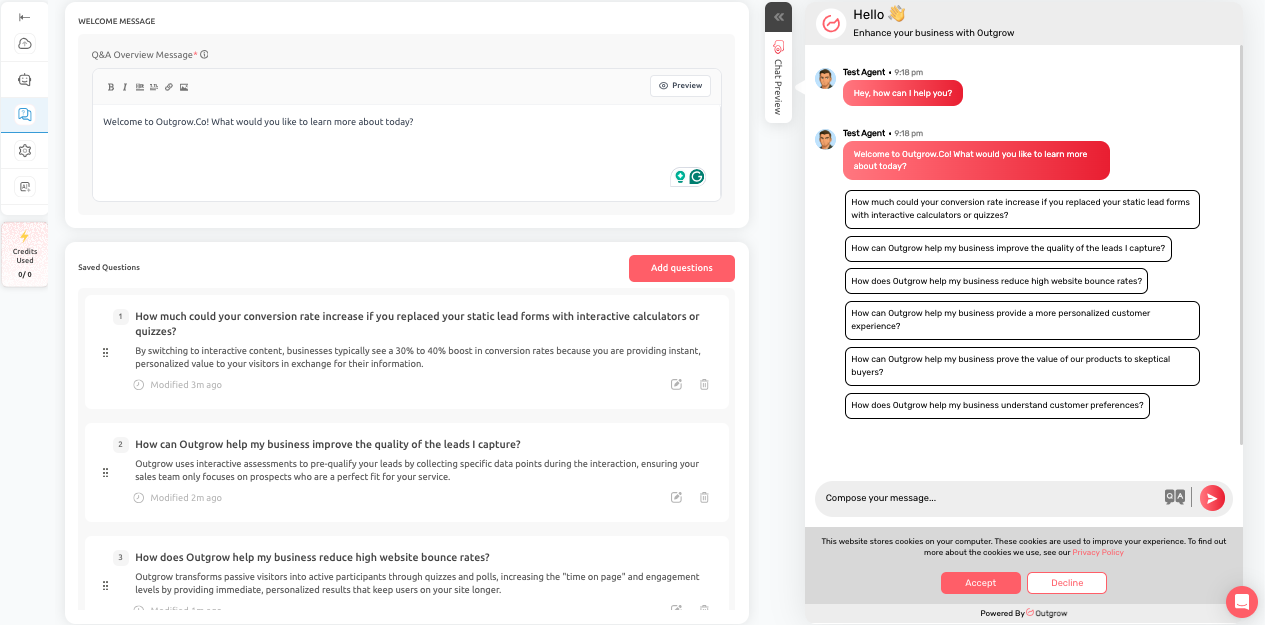
How to configure it effectively
A. Q&A Overview Message: This message appears above the list of suggested questions and should tell the user what they can do. A good example of Q&A Overview Message can be - Welcome to Outgrow.Co! Here are some common questions you can ask to get started.
B. Question Setup: Each Starter Question should be clear, natural, and customer facing, and you should avoid internal product terminology. Each suggested question should be written in natural, customer-facing language rather than internal terminology.
Tips
A poor example of a starter question will be - Explain SKU-specific shipment control logic, whereas a better example of a question will be - How much does shipping cost?.
C. Answer Setup: You can pair a question with:
-
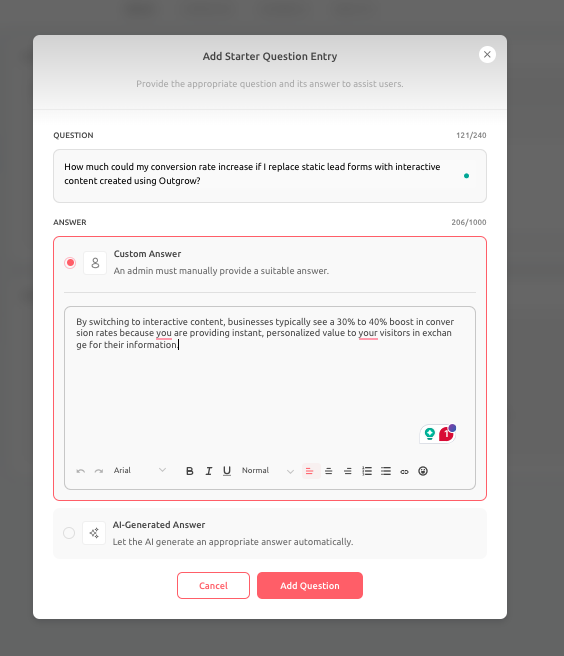
Custom Answer: A fixed answer when the response must remain consistent. Custom answers are best for:
- Legal disclaimers
- Policy wording
- Fixed pricing details
- Compliance responses
-
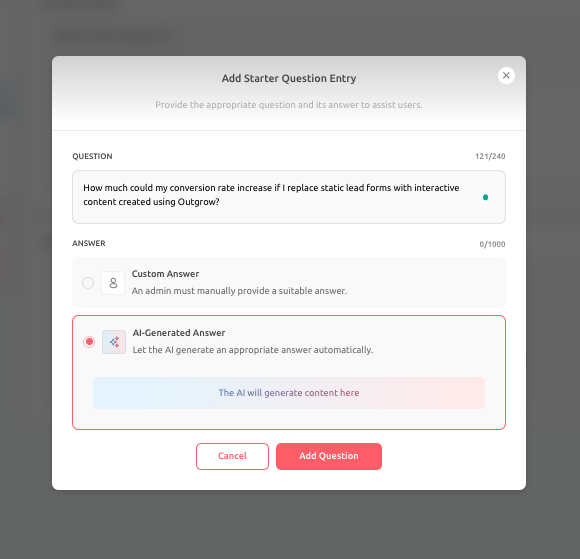
AI Generated Answer: Use AI generated answers when flexibility and context matter more than exact wording. AI generated answers are best for:
- Product education
- Technical guidance
- Evolving feature questions
Recommended feature usage
Starter Q&A works particularly well for pricing questions, demo-related interest, onboarding help, shipping and returns, integration questions, and other common entry points. The list should stay focused. Too many options can make the interface feel crowded instead of helpful. An example of this could be for a SaaS company that may use these 6 starter questions:
- How does pricing work?
- Do you offer a free trial?
- Can I book a demo?
- How does onboarding work?
- Which integrations do you support?
- Is this suitable for agencies?
This reduces bounce and helps users self select their intent early.
Best Practice
- Keep the list between 4 and 8 items.
- Too many options create clutter and reduce clarity.
- Lead with high-intent questions, not generic ones.
A well-designed Starter Q&A setup makes the AI Agent easier to approach and more purposeful from the first screen. It is a simple feature, but it can significantly improve the quality of the first interaction.
Feel free to use our chat tool on the bottom right or reach out to us at [email protected] if you have any questions, and our team can help you with a quick solution.
Updated 6 months ago