

Using Chat Preview To Test The Agent
Chat Preview allows you to test your agent before deploying it live. It is the safest place to validate whether your agent is asking the right questions, staying aligned with the intended goal, capturing data correctly, and responding in ways that match your brand and business needs.
A well-configured agent can still underperform if it has not been tested against real-world user behavior. Chat Preview exists to prevent that problem. It gives you a controlled environment to simulate conversations and identify gaps before users ever see the bot.
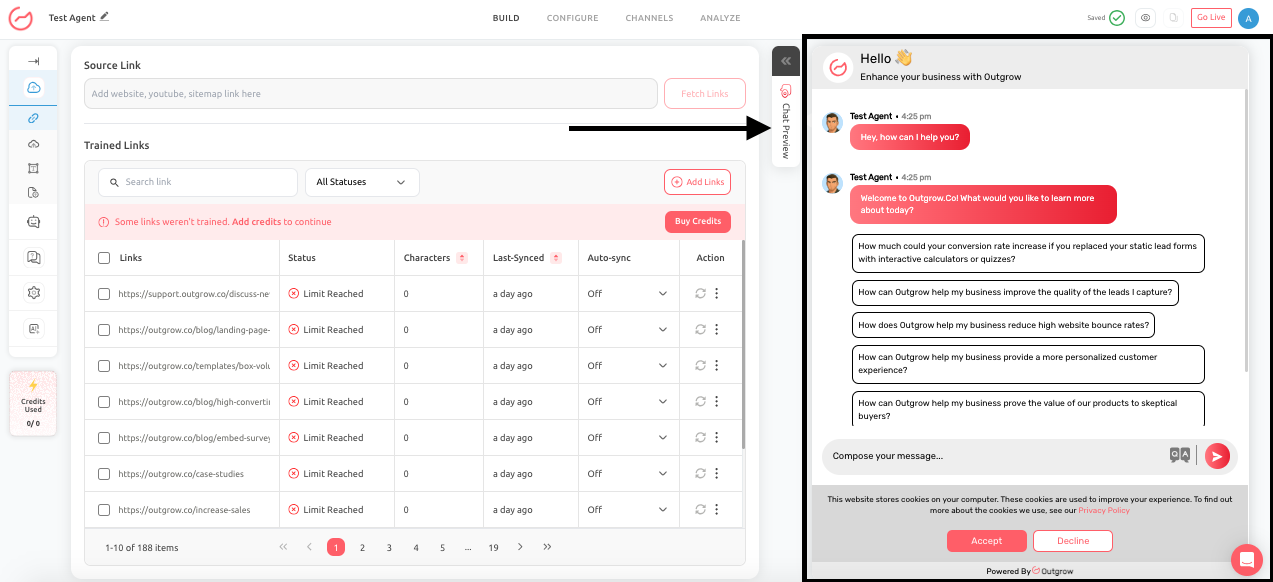
When to use Chat Preview
You should use Chat Preview:
- After generating a prompt
- After enhancing a prompt
- After changing a goal
- After updating attributes
- After editing follow-up logic
- Before every major go-live decision
- After important data source updates that could affect answers
What to test
Chat Preview should not be treated as a quick glance tool. It should be used as a structured QA step. Test the following:
- Whether the bot understands the goal correctly
- Whether it asks for all the required information
- Whether the tone matches your business
- Whether escalation or fallback behavior works
- Whether promotional messaging appears when relevant
- Whether the agent handles incomplete or messy answers gracefully
- Whether the final call to action appears at the right time
Example Use Cases
If you configured a webinar registration bot, test all of these paths:
- A user who wants to register immediately
- A user who asks logistical questions first
- A user who gives only partial information
- A user who changes their mind halfway
- A user who asks something unrelated
This helps confirm whether the chatbot can both complete the goal and handle edge cases naturally.
Best practices
- Use real customer questions during preview, not idealized test phrases.
- If your customers usually ask, “Can I see pricing first?” then test that exact phrasing.
- If the bot cannot respond naturally to common real-world wording, it is not ready to publish.
- Also test objection flows, not just happy paths.
Feel free to use our chat tool on the bottom right or reach out to us at [email protected] if you have any questions, and our team can help you with a quick solution.
Updated 6 months ago