

Agent Setup Overview
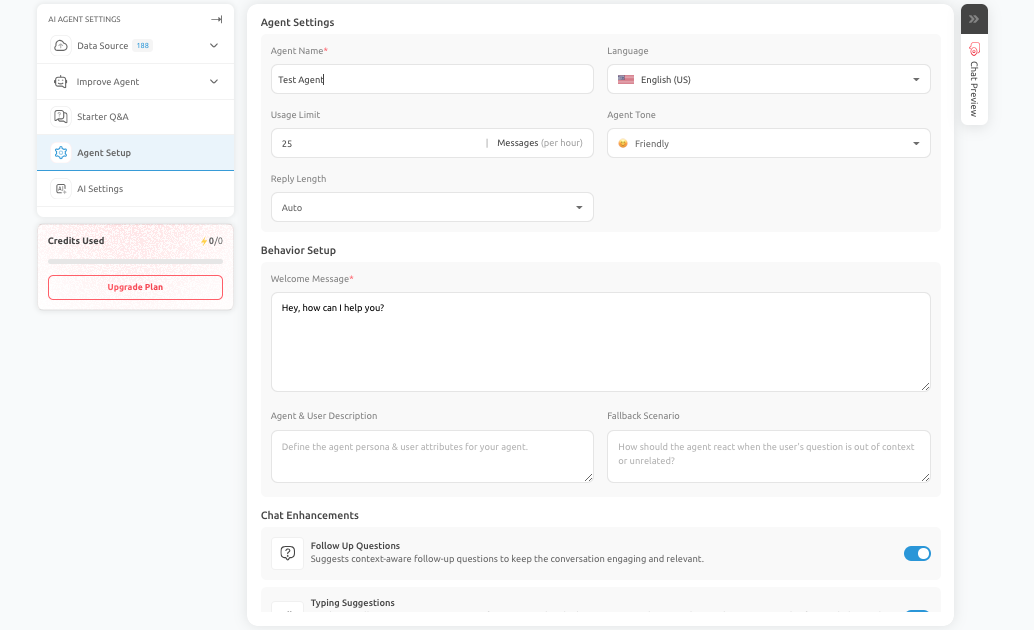
The Agent Setup area establishes the foundation of the AI Agent experience. It is where teams define the identity, presentation, baseline behavior, and user-facing controls that shape how the AI Agent appears and responds from the start of a conversation.
What this section covers
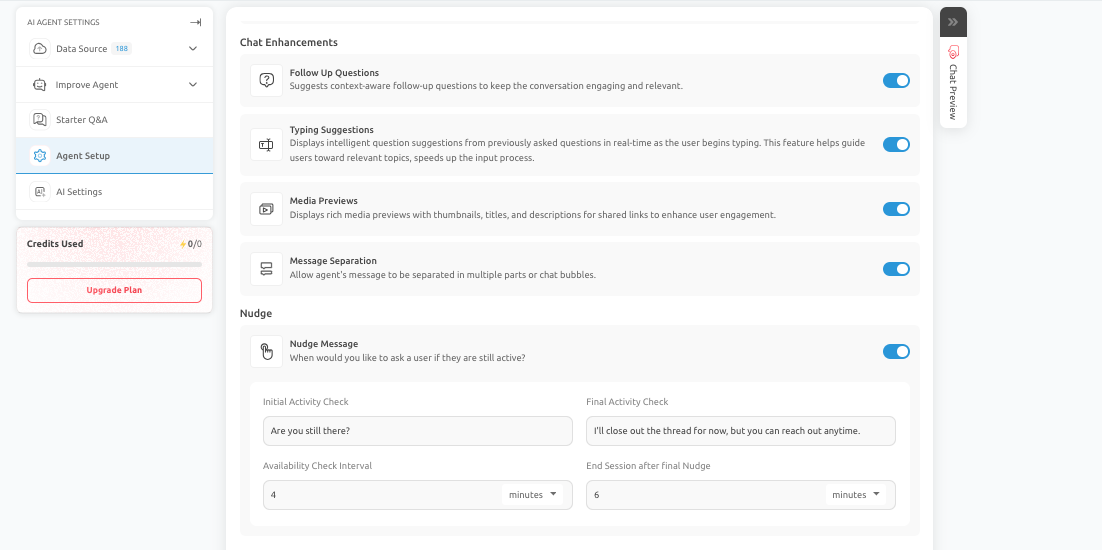
Agent Setup brings together several related areas that influence the quality of the user experience. These include:
- Agent Settings
- Behavior Setup
- Chat Enhancements
- Nudge Settings
- Data Source Display
- Chat Transcript
- GDPR Related Controls
Although each subsection addresses a different configuration area, they work together to create a stable and professional experience.
Why Agent Setup matters
Even a strong prompt or knowledge base can underperform if the basic setup is weak. If the welcome message is unclear, the tone feels inconsistent, the fallback is poorly defined, or the handling of inactivity is confusing, users may quickly lose confidence in the AI Agent. Agent Setup helps prevent those issues by giving teams control over the core experience.
How to approach this section
A practical approach is to complete Agent Setup before spending significant time on prompt optimization or integrations. Doing this first gives the AI Agent a clear identity and predictable baseline behavior, which makes later testing more meaningful and easier to interpret. If you are setting up a new AI Agent, treat Agent Setup as the starting point for experience design. It is the section that turns a technical configuration into something that feels intentional and usable for real users.
This support document should be reviewed alongside the related settings in Outgrow so that the configuration reflects the intended user journey and business outcome. Feel free to use our chat tool on the bottom right or reach out to us at [email protected] if you have any questions, and our team can help you with a quick solution.
Updated 6 months ago