

Connecting WooCommerce With Your AI Agent
The WooCommerce integration allows your AI Agent to connect directly with your online store and access real-time data related to products, orders, and customers. Once connected, the AI Agent can use this information to answer user queries more accurately, assist with order-related questions, and provide a more personalized shopping and support experience.
This integration transforms your AI Agent from a general assistant into a commerce-aware assistant that can handle store specific interactions efficiently.
What This Integration Enables
Once WooCommerce is connected, your AI Agent can:
- Access product information such as names, descriptions, and availability
- Retrieve order details based on user inputs
- Assist customers with order status queries
- Reference customer-related data where applicable
- Provide contextual responses based on store data
This allows the AI Agent to handle common e-commerce queries without requiring manual intervention.
Where to Access WooCommerce Integration
- To connect your WooCommerce store, open your AI Agent and navigate to the Configure tab. Within this section, select All Apps.
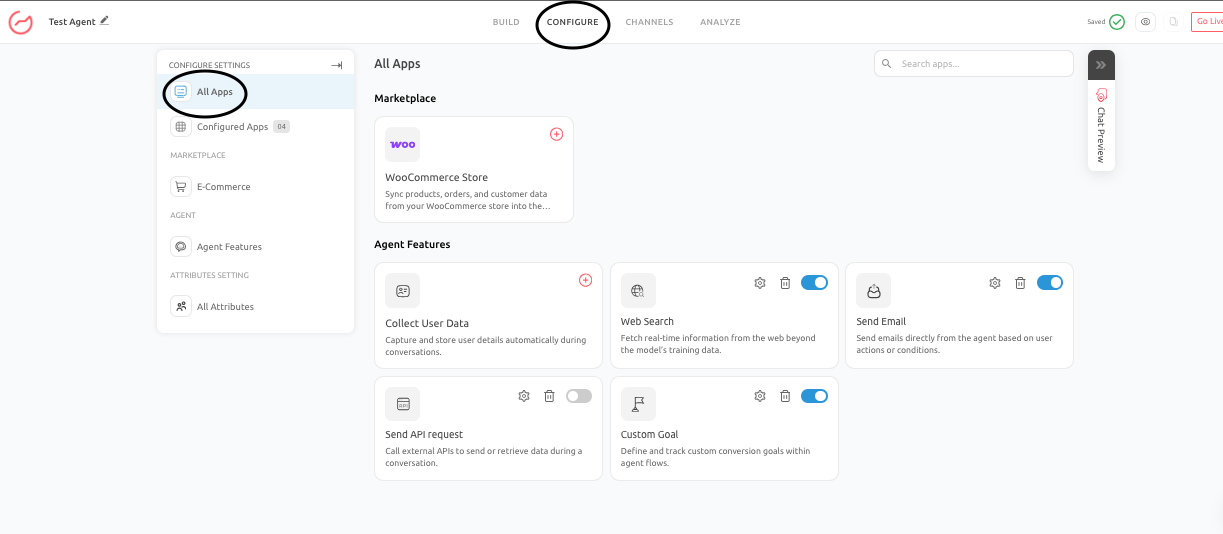
- Under the Marketplace section, you will find the WooCommerce Store integration option.
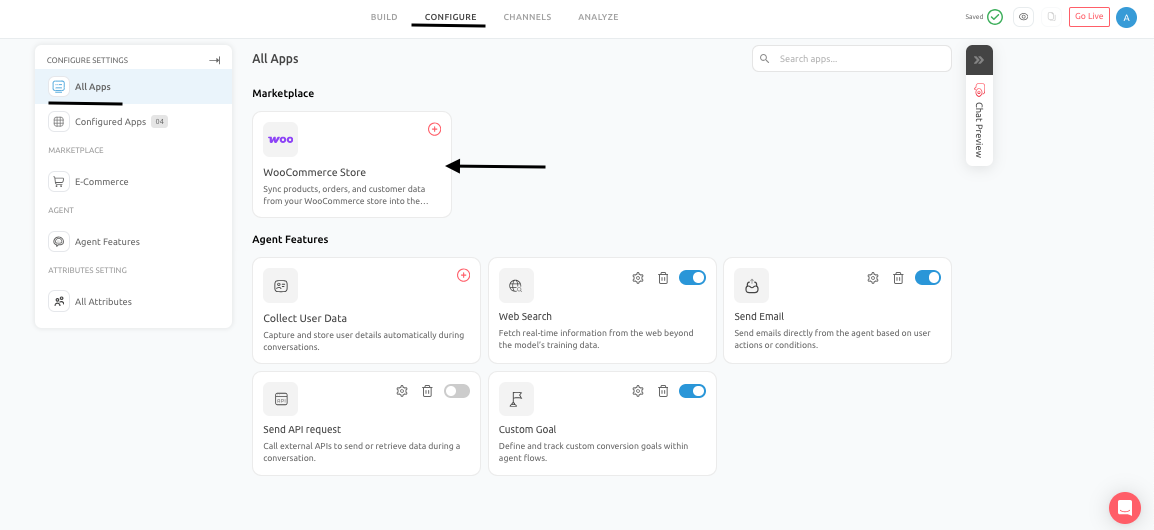
- Click on this option to begin the setup process.
- Enter the required details:
- Configuration Name
- Store URL
- Consumer Key
- Consumer Secret
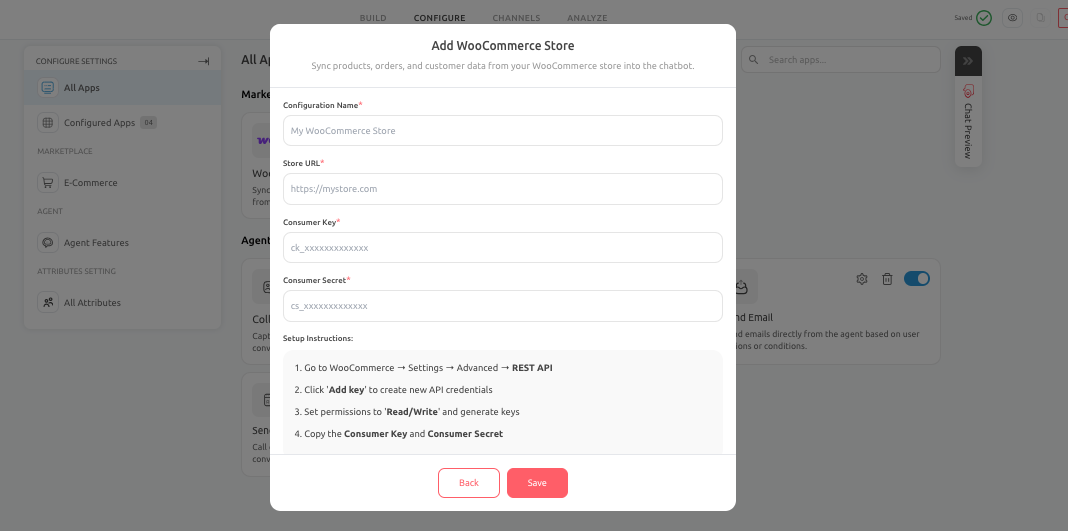
- Click Save to complete the setup. Once saved, your WooCommerce store will be connected to the AI Agent.
How to Get WooCommerce API Credentials
Before completing the setup, you need to generate API credentials from your WooCommerce store. Follow these steps in your WooCommerce dashboard:
- Login to WooCommerce and under Settings go to Advanced tab and then to REST API
- Click on Add Key
- Provide a description for the key
- Set permissions to Read/Write
- Generate the API key
- After generating the key copy the Consumer Key and the Consumer Secret.
- These credentials must be entered into the Outgrow configuration to establish the connection.
Real Business Use Cases
- Order Status Queries: A customer asks about the status of their order. The AI Agent can use WooCommerce data to retrieve and respond with the latest order update, reducing the need for manual support.
- Product Information Assistance: Users browsing your site can ask about product details, availability, or specifications. The AI Agent can reference real product data to provide accurate responses.
- Customer Support Automation: The AI Agent can assist with common support queries, such as order tracking, product questions, and basic account-related inquiries, improving response times and reducing support workload.
Best Practices To Follow
To ensure effective use of the WooCommerce integration:
- Make sure your product and order data is clean and up to date
- Verify that API credentials are correctly configured
- Test common user queries after setup to validate responses
- Combine WooCommerce data with trained content for better context
Common Issues To Avoid
- Using incorrect or expired API credentials
- Setting insufficient API permissions (ensure Read/Write access)
- Not testing the integration after setup
- Assuming the AI Agent can answer queries without proper data mapping
Conclusion
- By connecting WooCommerce to your AI Agent, you enable it to access live store data and provide accurate, contextual responses to user queries.
- This integration helps streamline customer support, improve engagement, and create a more intelligent and responsive shopping experience.
Feel free to use our chat tool on the bottom right or reach out to us at [email protected] if you have any questions, and our team can help you with a quick solution.
Updated 6 months ago